Deploy to Heroku
This tutorial will guide you through the process of deploying discordgsm to Heroku in just a few minutes.
Starting November 28th, 2022, free Heroku Dynos, free Heroku Postgres, and free Heroku Data for
Redis® will no longer be available.
Learn more
Get Started 
This tutorial will guide you through the process of deploying discordgsm to Heroku in just a few minutes.
1. Click button to deploy
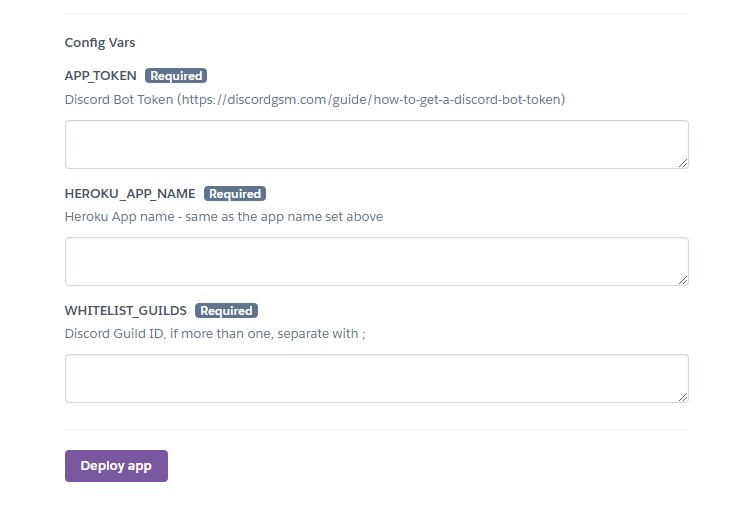
2. Configure and deploy
Set your app name, and set the Config Vars, and click Deploy. Learn more: DevOps Guide: Environment Variables
3. Add the bot your server
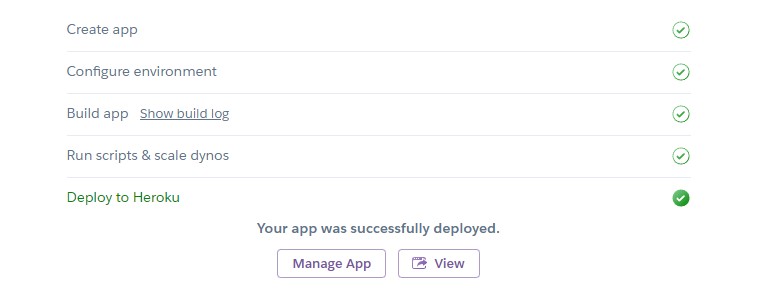
After the app was successfully deployed. Click View button.
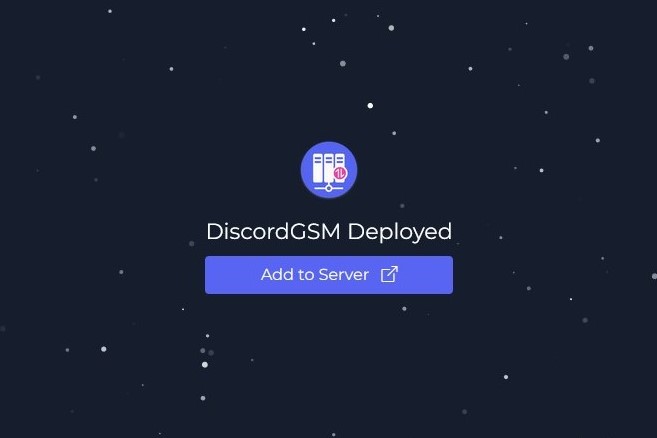
Click Add to Server to add the bot to your server.
4. Congratulations! 🎉
DiscordGSM has deployed to Heroku.